Space shooter · Free · PC & mobile
 Orbital
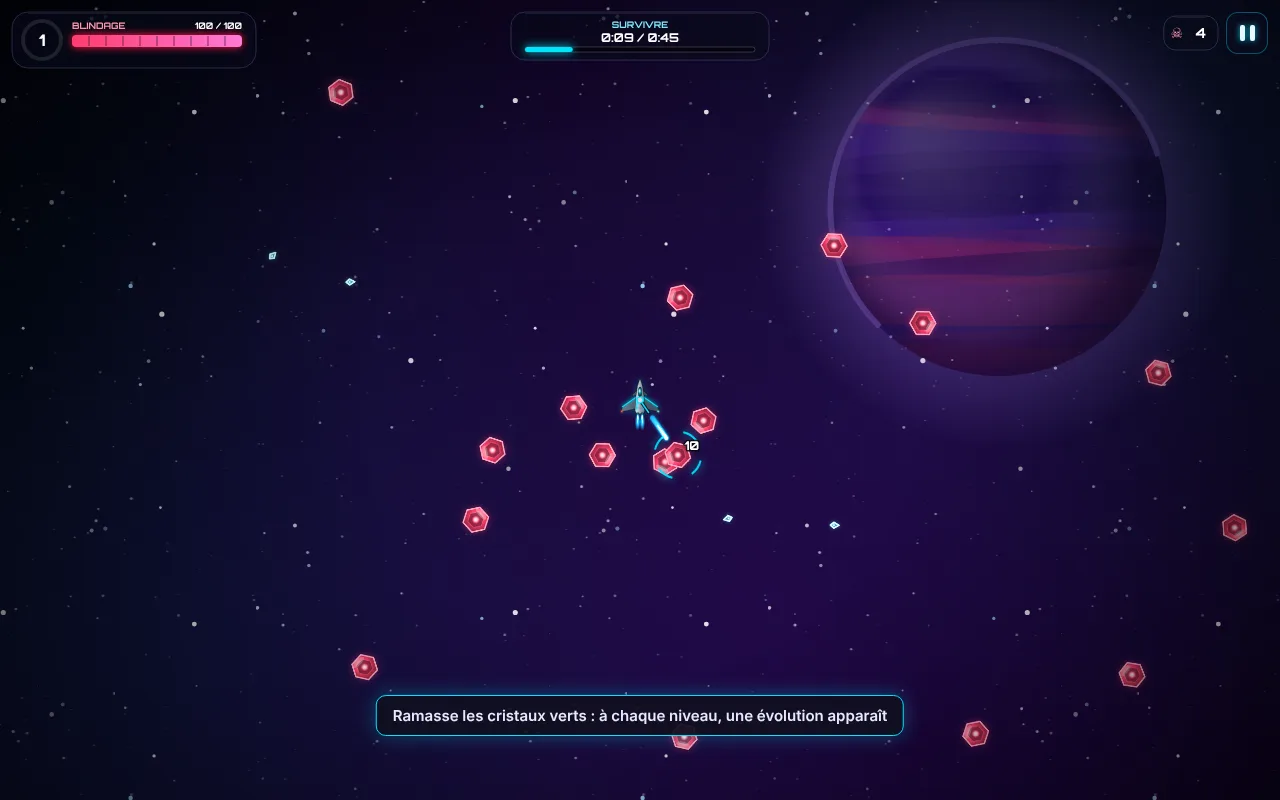
Orbital is a free space shooter you can play in the browser on computer and mobile. Explore the galaxy, grow your ship and take on the bosses in 45- to 90-second missions. Then build your orbital station, join an alliance and climb this week's ranking.
The gameplay loop
Three minutes to learn, hours to unlock everything
The galaxy
Six non-linear worlds: Neon Nebula, Ice Belt and Toxic Jungle, Electric Abyss, Solar Core, then The Void. Each one requires a minimum power level, like the zones of an RPG, and ends with a boss.
The mission
Survive, destroy, collect or defeat a boss. Each time you level up, two upgrade capsules appear: the first one you grab wins. Missiles, laser, drones… your arsenal changes every game.
The hangar
Buy new ships and upgrade their five stats (armor, power, fire rate, thrusters, magnet) with the coins you earn in missions.
Today's challenges
A 7-day login reward and three daily challenges to earn extra coins. Up to three stars per mission for perfectionists.
Beyond the missions
Game modes, orbital station and alliances
Three game modes
The Daily challenge, the same game for everyone with its own daily ranking; the Time trial, with a ghost and medals; and Station defense, which earns ore and crystals.
The orbital station
Build and upgrade 8 buildings: ore and crystal production, HP, damage and coin bonuses. It keeps producing even when you're not playing.
Alliances
Join or found an alliance, help your allies finish their constructions, develop the Alliance HQ and Alliance Laboratory, and climb the alliance ranking.
This week's ranking
In Survival mode: leagues of 30 pilots, from Bronze to Diamond, a world ranking and rewards every Monday.
Achievements and mastery
12 achievements to unlock, and each ship ranks up as you play with it, up to the gold finish at rank 10.
Music that evolves
Each world has its own synthwave vibe, generated live, and the tracks get more intense when you face a boss.
The station, alliances and rankings require an optional Google account, which also saves your game online.
Live event
Halloween in the galaxy
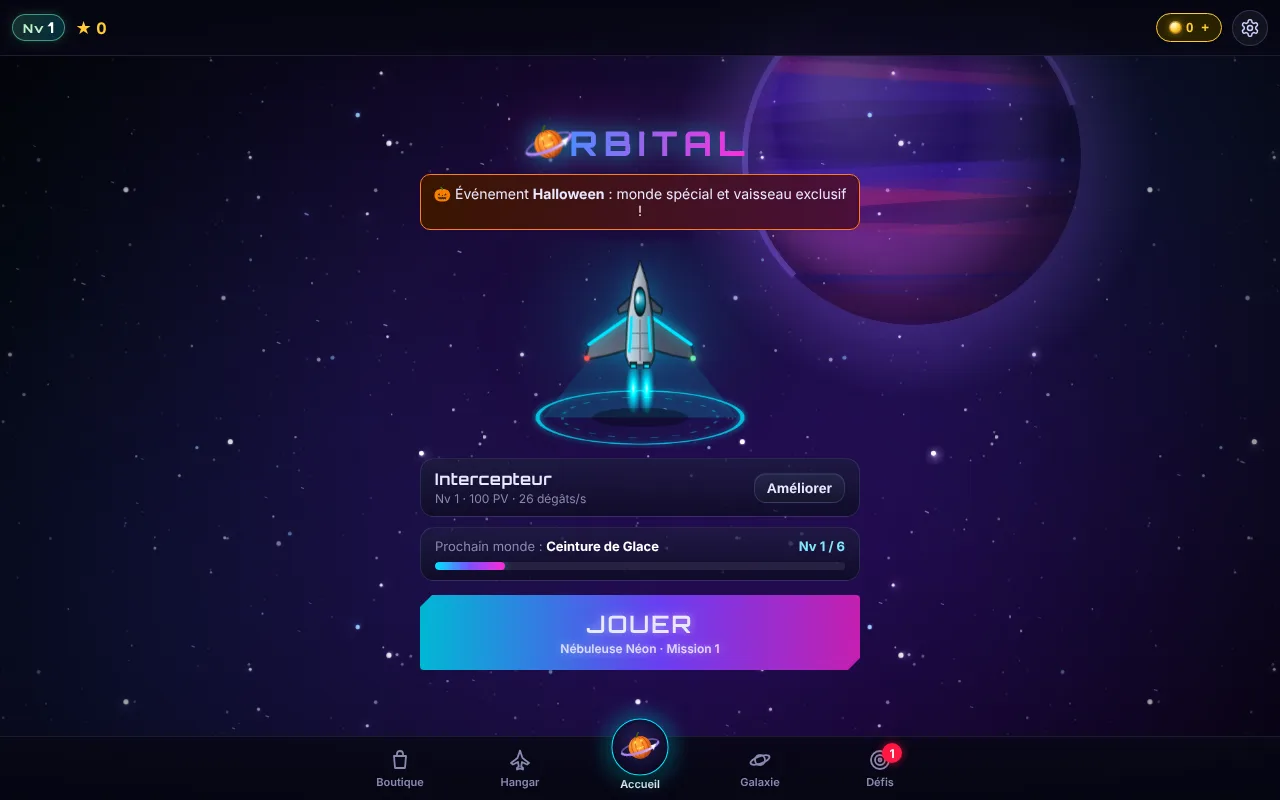
Until the event ends, a special world appears at the top of the map. The Halloween Pack is free: claim the Pumpkin ship, the Embers trail and 500 coins in the Shop.
- Free and fully playable without paying
- No loot boxes, no ads during missions
- In French, English, Spanish and German
- Coin packs in euros coming soon, never required
Just like an app
Install Orbital on your phone
Android (Chrome)
Open the game, then tap “Install the game” in the menu (or menu ⋮ → Install app).
iPhone (Safari)
Open the game, tap the Share button, then Add to Home Screen.
Offline
Once installed, the game opens full screen with its own icon and works without a network. Updates arrive automatically.
Orbital: frequently asked questions
Is Orbital free?
Yes. Orbital is fully playable without paying: every mission can be completed with the coins you earn by playing. Coin packs in euros have been announced (“Coming soon”) to speed things up, but they are never necessary. There are no loot boxes and no ads during missions.
Do I need to download Orbital?
No, Orbital runs right in your browser. You can also add it to your phone's home screen (Android or iPhone) to launch it like an app, in full screen.
Which devices can I play Orbital on?
On computers (Windows, Mac, Linux), tablets and phones, with a recent browser such as Chrome, Safari, Firefox or Edge.
How long does a game of Orbital last?
A mission lasts 45 to 90 seconds. The galaxy has 6 worlds of 6 missions each, 36 missions in total, each rated up to 3 stars.
Do I need an account to play Orbital?
No. Without an account, your progress is saved on your device. An optional Google account saves your game online so you can pick it up on all your devices, and gives you access to this week's ranking, the orbital station and alliances.
What are Orbital's game modes?
On top of the galaxy's 36 missions: the Daily challenge (the same game for everyone, with a daily ranking), the Time trial with a ghost and medals, and Station defense, which earns ore and crystals.
Does Orbital work offline?
Yes for missions: once installed on your phone, Orbital works without a connection and updates automatically when you're back online. The orbital station, alliances and rankings require a connection.
What languages is Orbital available in?
French, English, Spanish and German. Your phone's language is detected on first launch and can be changed in the settings.